



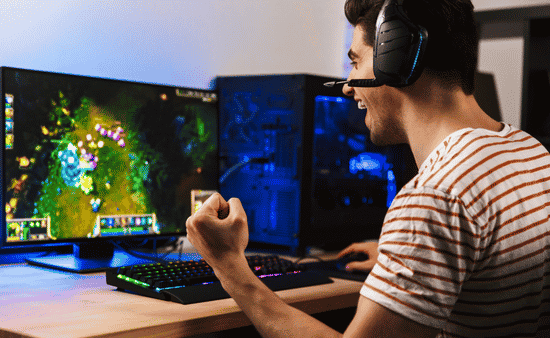
One of the biggest challenges of playing games online with friends isn’t the gameplay—it’s getting everyone ready to join.
Usually, the game itself isn’t the problem. It’s the setup. One friend needs to update something, another one forgets their password, and yet another one understands that there is not enough space left on their laptop. And by the time when all problems are solved, you understand that the game you were planning to play has already taken half of the day.
This is the reason why browser Plix games are a really great choice when you want to spend some time with friends without any difficulties. You do not need to install anything – just go to the website, create a room, share the link with your friends, and everything will be ready in a few minutes.
Browser games are not going to replace console or PC games in terms of quality. However, if you just want to spend some time with friends and play a couple of rounds, browser games will suit you perfectly.
Can You Really Play Online Games Without Downloading Anything?

Yes. A lot of multiplayer browser games run directly through modern web browsers, so there’s no installer, setup wizard, or large download waiting before you can play.
From the player’s perspective, it’s pretty simple:
- Open the game website.
- Create a private room or join one.
- Share the room link or code with your friends.
- Wait for everyone to load in, then start playing.
Behind the scenes, the browser handles the game using web technologies such as HTML5 and WebGL. But most players don’t need to think about that part. What matters is that the game runs in the browser tab you already have open.
That convenience is the real advantage. Your friend on an older laptop, someone using a desktop, and another person joining from a phone can often play together without anyone installing extra software first.
How to Start Playing Together
Getting everyone into the same browser game is usually quick:
Pick a multiplayer browser game
Choose a game that clearly supports private rooms, party lobbies, or invite links.
Create a room
Look for a button such as Create Room, Host Game, or Play with Friends.
Share the invite link
Send the generated URL or room code through Discord, WhatsApp, Messenger, Slack, or your group chat.
Start when everyone joins
Once your friends open the link, they’ll enter the same lobby and can begin playing with you.
A Few Things That Make It Smoother

Browser games don’t usually need a powerful computer, but a few small habits help:
- Use a stable internet connection if possible.
- Close extra tabs if your laptop starts slowing down.
- Make sure your browser is reasonably up to date.
- Use headphones if you’re on a voice call with friends.
- Check whether the game works well on both phones and desktops if your group uses different devices.
Why Browser Games Work for Casual Groups
The main benefit is that nothing needs to be prepared ahead of time. You do not have to worry about whether everyone installed the game, updated it, and created enough space on their devices to play it.
Online games work perfectly for spontaneous entertainment: an after-work game, a distraction during a conference call, or even a short game in case everyone can spare just twenty or thirty minutes.
And if someone has to leave early, they can usually just close the tab without affecting everyone else’s game setup.
Where to Find Free Browser Games
Good browser gaming sites should ensure quick starts to games, easy access to multiplayer games, and absence of mandatory registration to play the game.
When searching for free Plix games and other multiplayer games in the browser, curated collections can serve as a great starting point as games are sorted according to genres and number of players.
Final Thoughts
Online multiplayer games don’t necessarily require downloading and installing programs and other long preparation processes. If you just want to have a fun game session with your friends, browser games are your best choice – simply visit the website and share the link.